

1
Explore an offer
Open Spoke Explore. Look for the Live testnet label. Open a campaign and read its product price, reward rate, maximum paid levels, and settlement hold.A campaign’s reward is paid from its merchant’s funded budget. The amount shown is a policy calculation, not a guarantee that a sale will happen.
2
Inspect the reward path
Open the campaign’s network view. Each node represents a sharing link with a fixed parent. A branch can grow without every ancestor being paid: the policy limits the number of eligible levels.The recorded demonstration network contains a settled sale and a refunded sale. Select a sale to inspect its path.
3
Read a settled receipt
Open sale 4. Compare the buyer payment, merchant-funded reward, paid path, settlement timeline, and transaction proof.This is a scripted testnet demonstration. The receipt proves contract behavior, not commercial activity.
4
Choose what you want to do
Merchants create and fund offers. Distributors create links and claim eligible rewards. Buyers purchase and access their delivery.Use Create account or Log in when you are ready for an action that requires an account. Review each wallet request before signing.
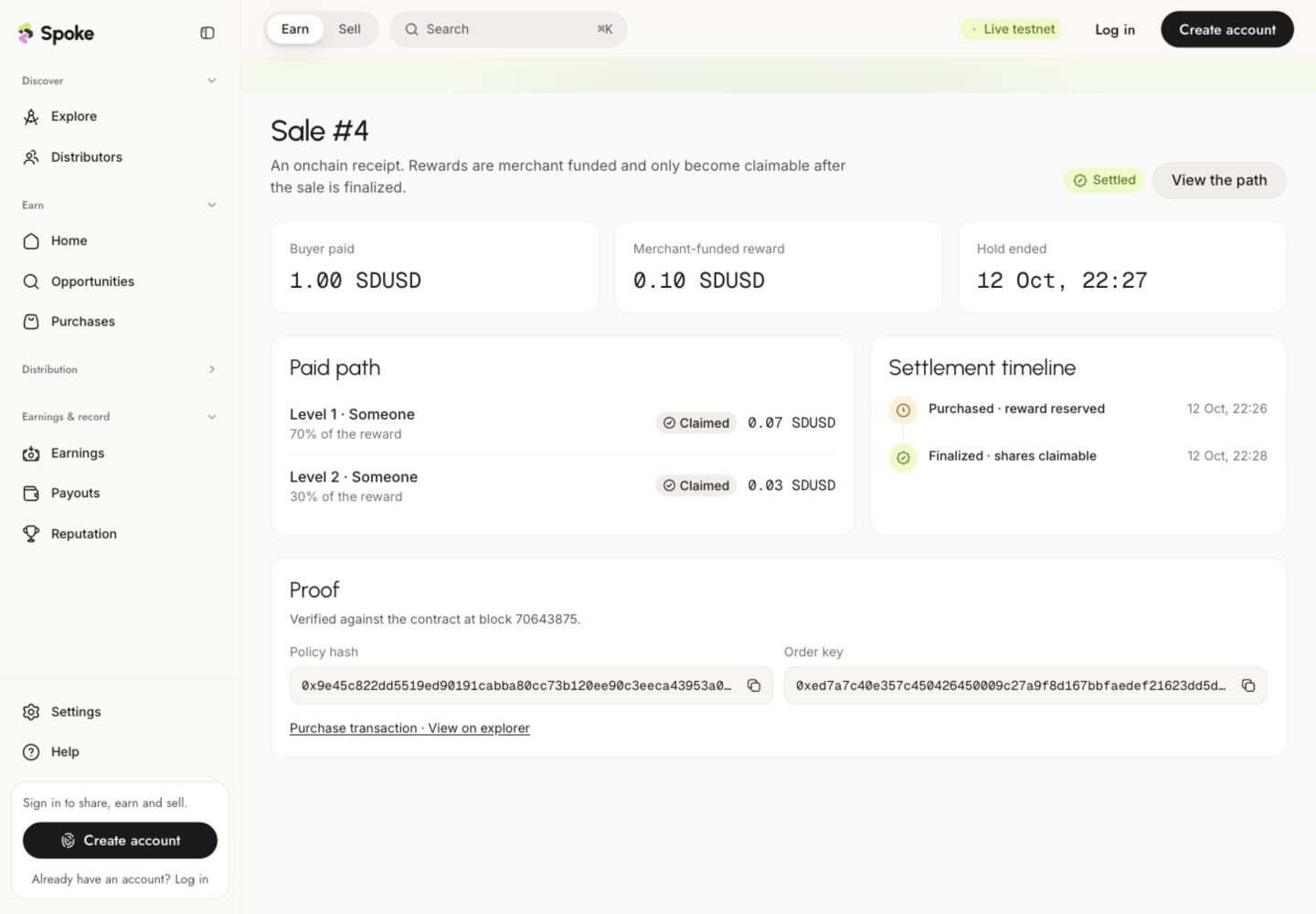
A settled testnet receipt shows the buyer payment, separate reward allocation, and claim state.
Want to explore without transactions?
Open Demo mode. It uses sample data to explain the interface and preview additional workflows. Demo balances and activity do not represent onchain funds. Read live and demo environments before switching between them.Before your first testnet transaction
- Use Monad Testnet, chain ID 10143, for the current settlement flow.
- SDUSD is the test token used for prices and rewards; MON pays network gas.
- Testnet gas assistance may be available from the application, subject to its limits.
- A wallet confirmation is only the beginning. Wait for transaction confirmation and indexing before treating the action as complete.
- Mainnet USDC obtained through a future funding activation will not buy testnet products.